Updated November 2026
Yes, you can use ChatGPT or Claude for real recruiting work. They’re great at writing and summarizing: job posts, outreach, interview questions, debrief notes. They get shaky the moment you ask them to judge candidates from resumes you paste in one at a time. The fix is to connect the assistant to the system that actually holds your candidates, so it works on real data, with your permissions, instead of whatever you copied into the chat. That connection is called MCP. This guide covers both halves: what works in plain chat today, and what changes when your assistant is plugged into your hiring tool.
Book a 20-minute demo | Connect RightMatch to your AI assistant free (100 credits)
What ChatGPT and Claude are good at in recruiting
AI use among recruiters is already mainstream. An October 2025 report from Employ found nearly two thirds of recruiters (65%) were already using AI tools, and LinkedIn’s January 2026 research found 93% of talent acquisition professionals plan to increase their AI use this year. The question isn’t whether to use it. It’s where it helps and where it quietly hurts.
Here’s how we’d sort the common jobs.
| Task | How well it works | Watch out for |
|---|---|---|
| Job posts | Very well. Give it the role, level, must-haves and your tone | Generic filler and inflated requirements. Cut anything you wouldn’t actually screen on |
| Intake call notes to a hiring brief | Very well. Paste the messy notes | Check it didn’t invent requirements the manager never said |
| Boolean and sourcing searches | Well | Syntax differs by platform, so test before you trust it |
| Outreach and follow-ups | Well, if you give it specifics about the person | Everyone’s messages start to sound the same. Edit them |
| Interview questions and scorecards | Well | Tie each question to something the job needs, and ask everyone the same set |
| Summarizing interview notes | Well | It summarizes what you give it. Don’t ask it to guess what’s missing |
| Ranking or screening resumes | Mixed | Results can change from run to run, it only sees what you paste, and there’s no record of why. Be careful here |
| Sending interviews or updating your pipeline | Not in plain chat | You end up copying everything back into your tools by hand |
Prompts that work
A good recruiting prompt says who the assistant is helping, what good looks like, and what to leave out. These are the kind we’d actually use. Swap in your own details.
Intake notes to a hiring brief
I just got off an intake call for a [role] at a [size] [industry] company. My notes are below. Turn them into a one-page hiring brief: must-haves, nice-to-haves, deal-breakers, comp range, and the three questions I still need to ask the hiring manager. Flag anywhere my notes contradict each other. [paste notes]
Job post
Write a job post for [role]. Plain and direct, no buzzwords. Lead with what this person will do in their first 90 days. Only list requirements we’d actually screen on: [list]. Under 350 words.
Interview kit
Give me six structured interview questions for [role], each tied to one skill from this list: [skills]. For each, describe what a weak, okay and strong answer sounds like. I’ll ask every candidate the same questions.
Outreach
Draft a short LinkedIn message to a [title] at [company]. Here’s their background: [paste]. Mention one specific thing, ask one question, no hype, under 70 words.
Debrief
Here are notes from four interviewers on the same candidate. Summarize where they agree, where they disagree, and what evidence each person cited. Don’t make a hire or no-hire recommendation.
None of these ask plain chat who to hire. With only a pasted resume, it doesn’t have your rubric, your pipeline or an actual interview to go on. That’s also where plain chat stops being useful: the interview kit prompt gives you good questions, but you still have to send, run and score every interview yourself. Once your assistant is connected to a hiring tool, you can ask who to talk to first and get an answer built on scored interviews, with the evidence attached. You still make the call.
Where plain chat breaks down
Once you move from writing to screening, the same handful of problems show up.
- It only knows what you paste. Every resume is a copy and paste, and every answer is disconnected from your actual pipeline.
- No saved rubric. Every chat rebuilds the criteria from whatever you typed that day, so the candidate you looked at Monday and the one you looked at Friday weren’t judged the same way.
- It has no memory of your process. Your rubric, your jobs and your candidates live in your head and a dozen tabs. Every new chat starts from zero.
- Candidate data ends up in a chat window. Resumes are personal data, so the account you use matters (more on that next).
- No trail, no action. It can’t send an interview, can’t log why someone moved forward, and you can’t show anyone how a decision got made.
Check your account before you paste a resume
If your team is pasting resumes into personal accounts, fix that first. Both OpenAI and Anthropic say their business plans (ChatGPT Business and Enterprise, Claude Team and Enterprise) don’t train on your content by default. Personal plans can work differently, and the defaults have changed over time, so check the data controls on whatever account you’re using. If you hire in the EU or UK, GDPR applies to candidate data on top of all of this.
What MCP is, in plain English
MCP stands for Model Context Protocol. It’s an open standard, introduced by Anthropic, that lets an AI assistant like Claude or ChatGPT connect to another app and use it directly. You sign in as yourself, and the assistant gets your permissions, not a master key. Instead of pasting a resume into the chat, the assistant asks your hiring tool for it.
In Claude it shows up as a connector. You don’t need to be technical. Setup is a few clicks.
One thing connecting doesn’t change: candidate details still appear in your conversation with the assistant, so the business-plan advice above still applies. What changes is that the assistant only reaches what your own login allows, and nothing is sent to a candidate without your OK.
What it looks like with RightMatch
RightMatch is an AI hiring platform that puts async video interviews, AI resume scoring and fraud detection in one place, with 27+ ATS integrations, used on over 1 million candidates. We built an MCP server so you can run it from Claude, ChatGPT, Gemini or Microsoft Copilot.
Once it’s connected, you can ask your assistant to:
- Create or edit a job
- Add resumes and score them against your criteria
- Show your top candidates for a specific job, and why
- Build an interview, change the questions, and send it by email and text once you’ve looked it over, including to yourself first so you can take it like a candidate would
- Tell you what came in since yesterday
- Pull up results, transcripts, scorecards with evidence from the interview, and Trust Score flags for cheating and AI use
- Nudge candidates who haven’t finished, cancel an invite sent by mistake, or move, tag and reject candidates when you ask
Here’s the kind of back and forth you’d have. This is an illustration, not a transcript.
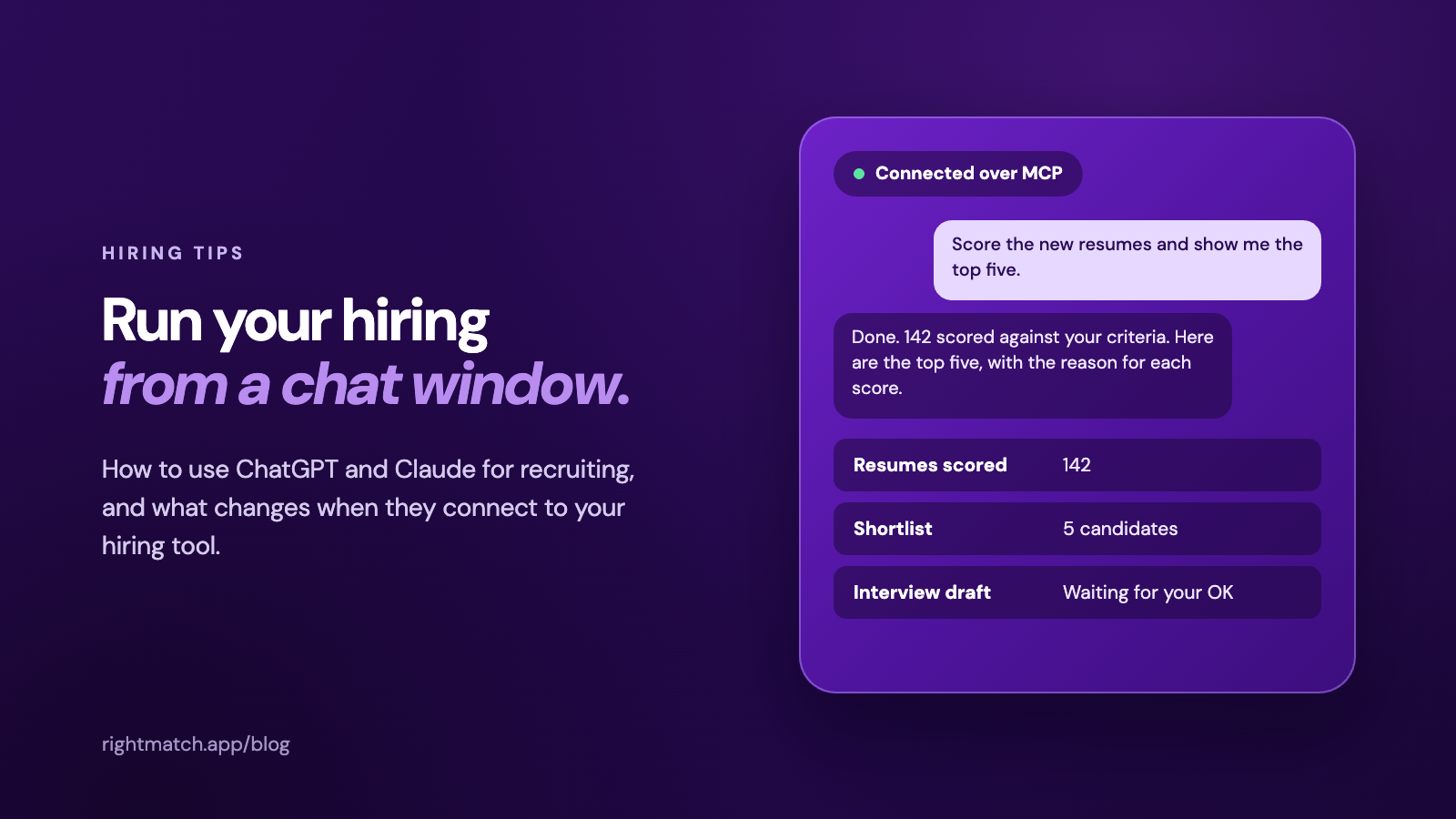
You: I’m hiring a warehouse supervisor in Reno. Here are the resumes. Score them against the job and give me the top five.
Claude: Done. I scored all of them against the Warehouse Supervisor criteria. Here are the top five, each with the reason behind the score.
You: Draft a five-question interview for those five. Show me before anything goes out.
Claude: Here’s the draft. Want to change any of these questions before I send it?
That last step matters. RightMatch is built so you review first: the assistant shows you the interview and waits for your OK before anything goes to a candidate, and it won’t reject anyone on its own.
Plain chat vs. connected, side by side
Plain chat is still the right tool for drafting and thinking. Connecting is for screening and interviewing at volume.
| ChatGPT or Claude alone | ChatGPT or Claude connected to RightMatch | |
|---|---|---|
| Works on your real candidates | Only what you paste | Yes, pulled from your account |
| Scoring rubric | Rebuilt in every chat | Saved for each job and applied to every resume, with the reasoning kept |
| Sends interviews | No | Yes, after you approve |
| Fraud signals | No | Trust Score on every interview |
| Your ATS | Manual copy and paste | 27+ ATS integrations |
| Permissions | Whatever’s in the chat | Your RightMatch login. Team members only see the jobs they’re allowed to |
| Record of what happened | Chat history | Scorecards, interview records and a log of every assistant action in RightMatch |
| Busywork | Copying resumes in and results back out by hand | Ask once, and the results are saved in RightMatch and your ATS |
| Best for | Drafting and thinking | Screening and interviewing at volume |
Set it up in about five minutes
- Open your connector settings in Claude, ChatGPT, Gemini or Microsoft Copilot (in Claude, that’s Settings, then Connectors) and add a custom connector named RightMatch with this server URL: https://api.rightmatch.app/mcp. On Claude Team and Enterprise, an owner adds it first, then members click Connect.
- Sign in with your RightMatch account, or create one. New accounts start free with 100 credits.
- Approve access when your assistant asks, then start a new chat.
- Start small. Ask it to list your open jobs, then work up to scoring and interviews.
Our MCP page walks through setup for each assistant, with prompts you can copy for every step. If you want ideas for your first session, try 10 prompts to run RightMatch from Claude, and the MCP FAQ for customers covers the common questions.
On cost: scoring a resume is 1 credit and a full interview is 10. The 100 free credits cover about 100 resumes scored or about 10 interviews. In ChatGPT you can’t buy credits inside the chat, so an account admin manages billing at rightmatch.app.
Keep a person in the decision
AI should help you see more candidates, not decide who gets hired. RightMatch scores and ranks, and a person makes the call. Auto-advancement exists, but it’s off by default. That’s good practice anywhere, and in the EU it’s heading toward being the law. We cover that in our guide to the EU AI Act and hiring compliance.
What teams see
These are RightMatch results from our customers, not from chat alone, but they show what happens when screening stops being the bottleneck.
- PSI imported about 100,000 resumes, got 72 hours of screening time back, and placed a role worth more than $25K in fees that the team was about to pass on for lack of bandwidth.
- Freeosk screened 2,800 applicants for one technical role, reviewing 6 to 7 candidates an hour, without adding recruiters.
More in RightMatch reviews from HR and staffing teams.
FAQ
Can ChatGPT or Claude screen resumes for me?
They can summarize and compare resumes, but on their own there’s no saved rubric, no interview and no audit trail. Use them as a helper with a person deciding. For volume, connect them to a tool that applies the same criteria to every candidate.
Is it safe to paste candidate resumes into ChatGPT or Claude?
It depends on the account. Business plans don’t train on your content by default. Personal plans can differ. Check the data controls, and keep your privacy policy and any GDPR obligations in mind.
Do I need a paid ChatGPT or Claude plan to connect a hiring tool?
Not necessarily. Claude’s free plan allows one custom connector. On Claude Team and Enterprise, an owner adds the connector, and then each person connects with their own RightMatch login. Other assistants handle this differently, so see our MCP page for each one.
Does this replace my ATS?
No. RightMatch connects to 27+ ATS platforms, and results flow back to your system of record.
Will the AI reject candidates on its own?
No. The assistant shows you drafts and waits for your approval before anything is sent. It can reject someone when you tell it to, but it won’t decide that on its own. You make the hiring decisions.
What does it cost?
New accounts start with 100 free credits. After that, pricing is usage based. See pricing.
What about candidates using AI to cheat in interviews?
Every RightMatch interview comes with a Trust Score that looks at how it was taken, such as copy and paste and browser switching. Our candidate fraud report goes deeper.
Does it work with Gemini or Copilot?
Yes. The RightMatch MCP server works with Claude, ChatGPT, Gemini, Microsoft Copilot and other AI apps that support MCP connectors.
Is using AI in hiring regulated?
Yes. Rules like the EU AI Act and New York City’s Local Law 144 apply to automated hiring tools. Read our guide to EU AI Act hiring compliance.
Ready to try it?
Connect RightMatch to the assistant you already use and run your first screen in a chat window. Start free or book a 20-minute demo and we’ll walk through it with your own roles.
Sources
- HR Dive, Recruiters increasing their AI usage as pressure to hire intensifies (Employ and LinkedIn figures)
- Spott, What MCP means for recruitment agencies (MCP introduced by Anthropic)
- OpenAI and Anthropic business data policies as summarized by SVA Consulting and Tech Insider